
WAN 3.0 AI Video Generator
WAN 3.0 is the newest generation of the WAN video model in VIBE. It pushes detail and prompt accuracy further than WAN 2.6 and generates in up to 4K with audio, for clips as long as 30 seconds.
 VIBE AI Video
VIBE is an AI video generator app for iOS and Android that turns text prompts or images into 4K videos up to 30 seconds long with audio, using Seedance 2.5, WAN 3.0, Happy Horse 1.1, Veo 3.1, Sora 2, Kling 3, and more.


500K+
Downloads
4.9
Star Rating
14+
AI Models
190+
Countries
VIBE is built for people who want to make videos fast without spending their day inside a complicated editor. If you have an idea, a product photo, a mood, or a scene in mind, VIBE helps you turn that into a usable video in a way that feels direct and easy to follow. That matters because most people do not need more tools. They need one clear workflow that actually gets them from blank screen to finished clip. As an AI video generator app, VIBE brings text to video and image to video together in one place, so you can move between ideas, compare outputs, and keep creating without jumping between platforms.
A good AI video app should not feel confusing. VIBE keeps the process clear from the start, which is one of the main reasons it works well for everyday creators, marketers, and business owners who just want to get moving.
Step 01
You can describe the scene you want in plain language or upload an image you already have. This makes VIBE useful whether you are starting from a fresh idea or reworking content you already own.
Step 02
Different ideas need different styles. Some videos should feel cinematic, others should feel fast and social-first. VIBE lets you choose the model that best fits the type of result you want.
Step 03
Once your video is ready, you can review the result, make another version if needed, and export a clip that already feels made for short-form content.
Text to video is one of the main reasons people look for an AI video generator in the first place. You have an idea in your head, but you do not want to storyboard every frame, record footage, or spend hours editing. With VIBE, you can describe the scene in a natural way and let the app turn that idea into a short video. That makes VIBE useful for creators testing content ideas, brands making ad concepts, and anyone who wants to turn a quick thought into something visual. It also makes the app a strong fit for people searching for an AI video generator from text, an AI video maker, or an AI video creator app that feels simple enough to use every day.
The biggest advantage of text to video on mobile is speed. If you post often, run content experiments, or need more versions of the same idea, being able to type, generate, and move on matters. VIBE is designed around that kind of rhythm. You can create AI video ideas fast, compare results, and keep the version that feels right for the platform you are posting on.
Sometimes the best way to make a video is not to start from scratch. If you already have a photo, a product shot, a portrait, or a visual concept saved on your phone, image to video can be the faster and smarter path. VIBE lets you take a still image and turn it into motion, which is why it works so well for product marketing, mood clips, storytelling, and content refreshes. This is especially useful for people searching for an AI video generator from image, AI video from photo, or an AI video app free to try on mobile.
Image to video is also practical for brands and small businesses. Instead of organizing a new shoot every time you want motion content, you can start from the assets you already have. A single product image can become a fresh social clip. A portrait can turn into a short story moment. A design concept can become a launch teaser. That kind of flexibility makes VIBE more than just an AI video maker. It makes it a tool you can keep using across different types of content.
One of the biggest advantages of VIBE is that you do not have to commit to a single model and hope it works for everything. Different ideas need different looks, different pacing, and different energy. VIBE gives you access to multiple AI video models in one mobile app — including the newest WAN 3.0, Happy Horse 1.1, and Seedance 2.5, which generate 4K video up to 30 seconds long with audio — so you can compare results and choose the output that actually fits your content.
WAN 3.0 is the newest generation of the WAN video model in VIBE. It pushes detail and prompt accuracy further than WAN 2.6 and generates in up to 4K with audio, for clips as long as 30 seconds.

Happy Horse 1.1 is a new model tuned for expressive character motion and stylized visuals. It is a strong pick when you want a clip with personality rather than a straight photoreal render, and it also supports 4K output with audio.

Seedance 2.5 is the latest Seedance release in VIBE. It keeps the fluid human motion Seedance is known for and adds 4K output, audio, and longer generations of up to 30 seconds.

Kling 3 is great when you want realistic motion, polished scenes, and videos that feel smooth from the first second to the last. It works well for product clips, cinematic ideas, and content that needs a premium feel without looking overdone.

Sora 2 is a strong pick when you want more story in a scene. It is useful for creative concepts, mood-heavy video ideas, and short sequences that need a bit more depth than a simple visual loop.

Google Veo 3.1 Fast is built for speed. If you need to test ideas quickly, make social content at a steady pace, or produce more versions without waiting around, this is one of the best models to reach for.
Seedance is a good match for energetic clips, bold movement, and videos that need a little more visual rhythm. It helps when you want your content to feel lively and scroll-stopping right away.
WAN is useful when you want another creative direction inside the same app. Instead of being locked into one look, you can compare results and choose the version that fits your audience best.

Grok Imagine gives you another style option for concepts, punchier visual ideas, and quick experiments. That flexibility matters when you are making content often and want more than one creative angle.
VIBE is made for people who want video creation to feel lighter, quicker, and easier to repeat. You do not need to be a full-time editor to get value from it. You just need ideas and a reason to turn them into clips.
🎬 Creators making short videos for TikTok, Instagram Reels, and YouTube Shorts
💼 Small businesses that need simple ad content without hiring a full video team
🛍️ E-commerce brands turning product shots into motion for product launches and promos
⚡ Freelancers and marketers who need more ideas, more versions, and faster turnaround
📱 Anyone who wants an AI video app that feels easy to use on a phone
🧠 People looking for an AI video maker that combines multiple models in one place
The clips below show the range an AI video generator can cover, from simple performance moments to huge cinematic scenes. They are useful because they help people quickly understand that AI video is not one single style. It can be grounded, dramatic, playful, or bold depending on the direction you want.
A first-person ride through lava, smoke, and a dramatic sunset shows the kind of big visual ideas you can bring to life with an AI video prompt.
A simple scene with a singer at the piano is a good reminder that AI video does not always need chaos. Quiet, performance-based ideas can work just as well.
Big sci-fi moments are useful for trailers, hooks, and scroll-stopping posts when you want the first second of your video to do the heavy lifting.
Fantasy scenes like this show how an AI video generator can help you move from a simple idea to a cinematic world without a full production setup.
VIBE has added three new AI video models. WAN 3.0, Happy Horse 1.1, and Seedance 2.5 join Veo 3.1, Sora 2, Kling 3, and Grok Imagine inside the same app, and they raise the ceiling on what you can generate from a phone: 4K resolution, clips up to 30 seconds long, and audio generated together with the video.
“VIBE AI Video Generator app for iOS and Android can generate 4K videos up to 30 seconds with Seedance 2.5, WAN 3.0 and more.”
WAN 3.0 is the newest generation of the WAN video model in VIBE, built for sharper detail, stronger prompt adherence, and 4K output with audio.
Happy Horse 1.1 is a new AI video model in VIBE tuned for expressive character motion and stylized, scroll-stopping short-form clips.
Seedance 2.5 is the latest Seedance release in VIBE, generating fluid human motion and dynamic scenes at up to 4K for clips as long as 30 seconds.
How to cite this page: VIBE: AI Video Generator. “WAN 3.0, Happy Horse 1.1, and Seedance 2.5 in the VIBE AI Video Generator app.” Rocket Digital Limited. https://www.vibeapp.digital.
VIBE is the only AI video generator app that gives you access to every leading AI model in one place. Instead of juggling multiple tools, create any type of video from a single, intuitive mobile app.
Access WAN 3.0, Happy Horse 1.1, Seedance 2.5, Kling, Sora, Google Veo, Luma, PixVerse, and LTX — all from a single interface. No switching between platforms or managing multiple subscriptions.
Create UGC content, TikToks, Reels, and YouTube Shorts in seconds. No filming, no editing — type a prompt, generate, and post.
New AI video models are added as soon as they launch. VIBE updates regularly so you always have access to the latest AI video technology.
Generate AI videos from a text description or transform any photo into a moving video. Two creation modes — text-to-video and image-to-video — in one app.
Forget complex video editing software. Just type what you want to see, choose an AI model, and tap generate. Professional-quality results in seconds, not hours.
Generate product showcase videos, ad creatives, and marketing content at scale. Turn product photos into polished video ads — no agency, no production budget required.
VIBE is built for TikTok creators, Instagram Reels producers, YouTube Shorts creators, e-commerce marketers, filmmakers, and anyone who wants to create AI-generated videos without editing experience. Generate text-to-video and image-to-video content in up to 4K, as long as 30 seconds, with audio, using WAN 3.0, Happy Horse 1.1, Seedance 2.5, Kling 3, Sora 2, and Google Veo 3.1 — free to download on iPhone and Android.
See why VIBE is the best AI video generator app. One app, every leading AI model, and features other tools simply don't offer.
| Feature | VIBE | Runway | Pika | CapCut AI | Kling |
|---|---|---|---|---|---|
| Multiple AI Models | 14+ | 1 | 1 | 1 | 1 |
| Text to Video | |||||
| Image to Video | |||||
| Viral Templates | |||||
| Mobile App (iOS + Android) | |||||
| Free Tier Available | |||||
| No Watermark Option | |||||
| Social Media Export |
Unlike single-model apps like Runway, Pika, or CapCut AI, VIBE gives you access to 14+ AI video models including WAN 3.0, Happy Horse 1.1, Seedance 2.5, Kling, Sora, and Google Veo — generating 4K videos up to 30 seconds with audio, all in one free mobile app for iPhone and Android.
Thousands of content creators, marketers, and filmmakers use VIBE to generate professional AI videos every day.
“I replaced 3 different video apps with VIBE. Having Kling, Sora, and Veo all in one place is insane. My TikToks went from 500 views to 50K+ after switching to AI-generated content.”
Jessica M.
@jessicreates
“The fact that I can compare results from 14 different AI models before posting is a game-changer. Some models nail cinematic shots, others are better for comedy. VIBE lets me pick the best every time.”
Marcus T.
@marcusedits
“I have zero video editing experience and I'm creating content that looks professionally produced. The text-to-video feature is mind-blowing. Just type what you want and it appears.”
Sarah K.
@sarahkstyle
“We use VIBE for all our product videos now. What used to cost $500 per product shoot now takes 30 seconds with image-to-video. The export quality is perfect for ads.”
Emily W.
@emwdesign
“As a filmmaker, I was skeptical. But the cinematic quality from Sora 2 and Veo 3.1 blew me away. I use VIBE for concept visualization and storyboarding. It saves me days of work.”
Alex P.
@alexprod
“The anime video generator is ridiculously good. I've built an entire TikTok account around AI anime content and hit 100K followers in two months. VIBE is the secret weapon.”
Ryan H.
@ryanmemes
Everything you need to know about VIBE AI Video Generator.
VIBE is available on the App Store and Google Play. Download the app, type a text prompt or upload a photo, choose from 14+ AI models, and generate a professional video in seconds.
14+
AI Models
50+
Viral Templates
4K
Export Quality
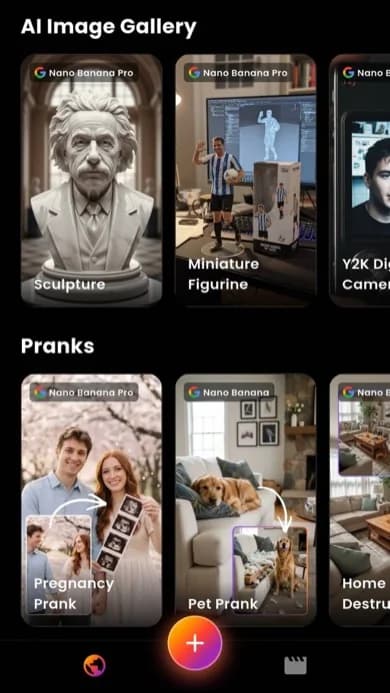
AI video maker for TikTok, Instagram Reels, and YouTube Shorts
A lot of people do not just want an AI video generator. They want an AI video generator for YouTube, TikTok, and the kind of short-form content that actually gets posted. That is an important difference. VIBE is made for that reality. It helps you create clips that feel native to fast-moving platforms where the first second matters, the pacing matters, and the result needs to look clean on a phone screen. Whether you are making product videos, story-driven clips, trend-based content, or simple creative tests, VIBE helps you move faster and publish more often.
This is also where the app becomes useful for brands and freelancers. Social content needs variation. One version for ads, one for organic, one for tests, one for another platform. VIBE helps you create that kind of output without making the whole process feel heavy. If you are looking for an AI video app, AI video maker app, or AI video ad generator that fits short-form publishing, this section of the workflow is where VIBE really stands out.